
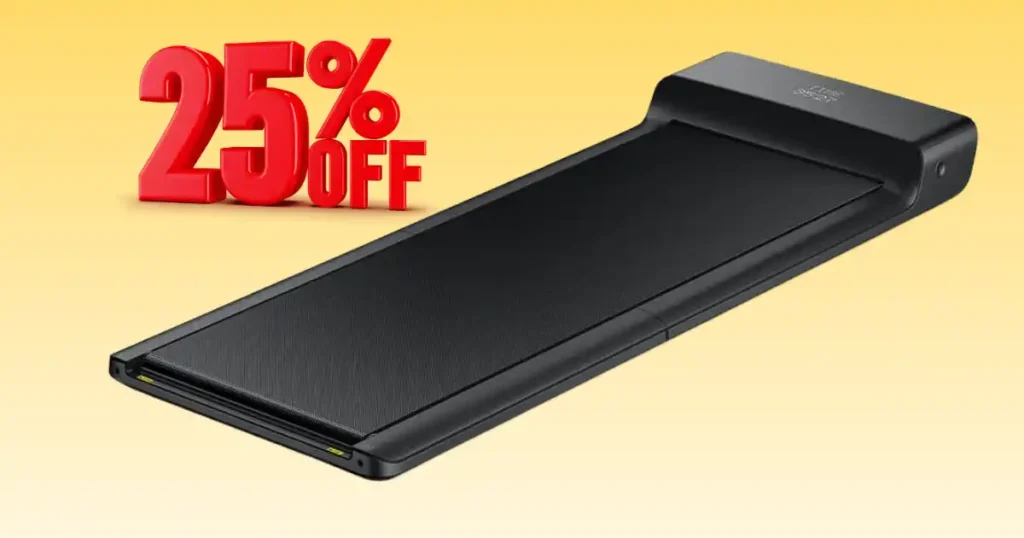
Keeping fit at home should be a joy, but tech faults can quickly spoil your mood. Picture a quiet Monday morning in London. You unfold your sleek under-desk treadmill, ready for a light walk while checking emails. You press the remote… and nothing happens. It is quite a shock when you find your WALKINGPAD treadmill not working just as you start your day. I have spent years fixing home gym gear and know how to help. Most of these issues are minor and very easy to mend with simple tools. This guide shares my top tips to get your belt moving again fast.
Why Your WALKINGPAD Treadmill May Suddenly Stop Working
Picture a quiet Monday morning in London. You unfold your sleek under-desk treadmill, ready for a light walk while checking emails. You press the remote… and nothing happens. The display blinks, but the belt stays still. It feels oddly frustrating when you have a clear plan for your morning.
This situation is surprisingly common with compact treadmills. Most WALKINGPAD treadmill problems come from small issues like power faults, belt friction, or connection errors with the remote or mobile app. Understanding the internal logic of these smart machines is the first step to a quick fix.
How a WALKINGPAD Treadmill Works
- Brushless electric motor drives the belt: This quiet engine provides the power needed for your walk.
- Smart console or remote controls speed: These parts send signals to the motor to adjust your pace.
- Safety sensors stop the treadmill if needed: These protect you by cutting power during a fault.
When Problems Usually Appear
I often see issues pop up after folding or moving the treadmill. The hinge area is clever but sensitive. If the machine sits for long periods without use, the belt can become dry. Extended walking sessions can also lead to heat buildup in the compact motor housing.
Early Warning Signs of Trouble
Watch out if the belt hesitates before starting. If your remote control delays or fails to pair, it is a sign of a weak link. Light squeaking or rubbing sounds usually mean a part needs a bit of oil or a quick turn of a bolt.

Most Common WALKINGPAD Treadmill Problems
Compact treadmills are convenient but sensitive to small mechanical or electrical changes. Understanding these typical issues makes troubleshooting far easier. In my experience, most faults fall into a few clear groups.
Treadmill Will Not Turn On
Check the power cable first; it may be loose at the wall or the machine inlet. In the UK, a blown fuse in the plug is a very common reason for total power loss. Also, ensure your wall socket is switched on and working.
Belt Does Not Move
This often points to a motor controller issue. The brain is on, but the legs won’t move. It can also be caused by a drive belt slipping off its pulley inside the motor cover.
Remote Control Not Responding
A simple battery issue is usually the cause of a dead remote. If the display works but the remote fails to sync, it might be a Bluetooth connection failure. Try re-pairing the device via the official app.
Treadmill Stops During Walking
Overheating protection is the main reason for a sudden stop. If the motor gets too hot, it cuts out to stay safe. Weight overload can also trigger this if the user exceeds the maximum limit for that model.
Troubleshooting Checklist Before Calling Support
After testing several walking treadmills at home, I’ve learned that many problems disappear after a few simple checks. It is always worth running through a quick inspection first. It saves you the hassle of a long phone call or a return.
Below is a practical troubleshooting table based on typical WalkingPad treadmill faults reported by UK users.
| Problem | Possible Cause | Quick Fix |
| Treadmill not starting | Safety mode active | Reset treadmill |
| Remote not working | Dead batteries | Replace batteries |
| Belt slipping | Loose belt tension | Adjust rear bolts |
| Machine stops suddenly | Motor overheating | Let it cool |
First Checks to Perform
Unplug the treadmill for thirty seconds to clear the internal memory. Confirm your power supply is stable and the cable is pushed in tight. Restart the console or the remote to ensure the software link is fresh.
Helpful Tools for Small Fixes
- Allen key: Used for tightening the rear bolts to fix a slipping belt.
- Microfibre cloth: To keep sensors and the frame free of dust.
- Silicone treadmill lubricant: The vital oil that keeps the deck smooth.
Power Supply Problems That Stop WalkingPad Treadmills
Many treadmill issues begin with the power connection rather than the motor itself. Our UK plugs are sturdy, but they can still fail.
Loose Power Cable
The plug can become partially disconnected when you fold or move the machine. Always ensure the cable has not shifted or been pinched by the hinge when folding the treadmill.
Blown Fuse in UK Plug
UK plugs contain small fuses that protect appliances from electrical surges. If your machine is totally dead, check the 13A fuse. Replacing it is a very cheap way to get back to walking.
Faulty Wall Socket or Extension Lead
An overloaded extension strip can cause voltage drops. Treadmills need a lot of power to start. Try to plug yours straight into a wall socket for the most stable results.
Running Belt Problems and Easy Solutions
One evening while testing a folding treadmill in a small Leeds flat, the belt felt sticky under my trainers. Not dangerous—just annoying. A quick adjustment and lubrication solved it.
Belt Slipping During Walking
If the rear roller tension is too loose, the belt will skip. Use your Allen key to tighten the rear bolts by a half-turn. If the internal drive belt is worn, it may also cause a slip.
Belt Stops When Weight Is Applied
High friction between the belt and the deck is the main culprit here. If the motor is struggling under load, it likely needs oil. Without oil, the belt acts like a brake on the motor.
Belt Drifting to One Side
Uneven tension adjustment makes the belt drift. If it touches the side rails, it will fray. Adjust the bolts to keep the belt perfectly in the middle.
Lubrication Issues That Affect WalkingPad Performance
Many owners forget lubrication because these treadmills look sleek and maintenance-free. In reality, the belt still needs occasional care to run quietly.
Why Lubrication Matters
It reduces friction on the running deck, which protects the motor. It prevents the internal parts from getting too hot and keeps your walks smooth and quiet.
Signs Your Belt Needs Lubrication
Look for rough belt movement or listen for squeaking noises. If the belt slows unexpectedly during your walk, it is a loud cry for a top-up of oil.
Recommended Lubrication Routine
For moderate home use, I suggest doing this every 2–3 months. If you walk for hours every day, check the deck once a month to see if it feels dry.
WalkingPad Motor and Electronics Problems
If the treadmill powers on but behaves strangely, the issue may involve internal electronics. These are complex machines with several sensors.
Motor Overheating Protection
Long walking sessions without rest can cause the motor to trip. Ensure there is good airflow around the treadmill. Never block the vents on the motor housing.
Control Board Malfunctions
Voltage fluctuations can cause the board to glitch. This part manages the speed and power. If it fails, the machine may show an error code or refuse to start.
Sensor Errors in Smart WalkingPads
Dust inside the sensor area can cause speed sensor misalignment. This stops the machine from knowing how fast the belt is moving, leading to a safety shutdown.
Understanding Common WalkingPad Symptoms
Treadmills often show subtle hints before a major failure occurs. Learning these clues can save both time and repair costs. I always listen to my kit for any new sounds.
| Symptom | Likely Cause | Suggested Fix |
| Belt slows down | Lack of lubrication | Apply treadmill oil |
| Grinding noise | Belt misalignment | Adjust tension |
| Sudden shutdown | Overheat protection | Restart after cooling |
| Remote delay | Weak battery | Replace batteries |
Why Overload Protection Activates
This happens if there is an excess user weight or continuous high-speed walking. It is a safety feature built in to protect the motor from burning out.
When Symptoms Keep Returning
If the machine stops every day, the internal electronics may require repair. Do not keep forcing it to run, as you might cause more damage to the motor.
Maintenance Routine to Prevent WalkingPad Problems
A treadmill that gets basic care lasts much longer. It does not take much time, just a few small habits. I keep mine in top shape with a simple plan.
Weekly Maintenance Routine
Wipe the dust from the belt and the frame. Inspect the power cable to make sure it is safe. Keeping it clean stops grit from getting into the motor.
Monthly Maintenance Tasks
Lubricate the belt and check the alignment. Ensure all bolts are tight and the remote is still synced. A quick check prevents big bills later.
Storage Tips for UK Homes
Always keep the treadmill in a dry room. Avoid damp garages or basements, as moisture can rust the frame and ruin the circuit boards inside the console.
Expert Advice from a Fitness Equipment Specialist
According to Pete McCall, a respected fitness coach and equipment educator: “Compact treadmills need simple care. Regular lubrication and cleaning can double the life of a home treadmill.”
Expert Tips for WalkingPad Owners
Keep the treadmill clean and dry at all times. Lubricate the belt regularly to keep the motor cool. Avoid running sessions on walking-only models to protect the motor.
Common Owner Mistakes
Ignoring strange noises is the biggest mistake. A small squeak today is a big repair tomorrow. Many people also fold the treadmill while it is still warm, which can trap heat inside.
Replacement Parts for WalkingPad Treadmills
Sometimes replacing a worn part can quickly restore normal performance. It is much cheaper than buying a whole new machine for your home office.
Parts That Commonly Wear Out
- Running belt: The walking surface wears out over time.
- Drive belt: The small belt inside that connects the motor to the roller.
- Motor controller board: The part that manages the power flow.
Where UK Users Find Spare Parts
Look at online fitness equipment stores or specialist repair services. Many sites in the UK stock parts that are compatible with WalkingPad models.
When to Contact WalkingPad Support or a Technician
While many issues are simple, some problems require professional repair. If you feel out of your depth, it is better to ask an expert than to risk a shock.
Signs Professional Help Is Needed
- Motor completely unresponsive: Even after you checked the fuse.
- Electrical burning smell: This is a sign of a serious short circuit.
- Internal wiring damage: Never try to fix frayed wires yourself.
Typical Repair Services
A pro can offer motor replacement or control board repair. They can also perform sensor recalibration to ensure your walking speeds are accurate and safe.
Habits That Help Your WalkingPad Last Longer
A few smart habits can keep your treadmill running smoothly for years. I have found that a little effort every week goes a long way.
| Habit | Benefit |
| Regular belt lubrication | Prevents motor strain |
| Cleaning after workouts | Reduces dust build-up |
| Proper storage | Protects electronics |
Smart Usage Tips
Always start walking slowly before stepping on. Increase the speed gradually to let the motor warm up. This protects the board from sudden power surges.
Storage Tips for Small UK Flats
Fold your treadmill after use to keep it away from dust. Store it away from moisture and direct sunlight. This keeps the plastic and wires in good shape.
Alternative Options: WalkingPad
If you are considering a WalkingPad treadmill, you likely want something small, quiet, and easy to store. Many models from KingSmith are famous for their double-fold design, which makes them perfect for tight flats or home offices.
In my 17 years of testing compact fitness gear, I have used several walking pads in small gyms and work-from-home setups. WalkingPad machines often focus on space-saving design → quiet motors → smooth walking decks. Still, some rival brands add faster speeds, heavier weight limits, or incline workouts.
Typical WalkingPad Treadmill Features
- Patented 180° folding deck
- Slim under-desk profile
- Quiet motor for office use
- Speed around 3.7 mph for walking
My Rating for WalkingPad: 8.9 / 10 (Excellent compact treadmill for small spaces)
WALKINGPAD Vs Goplus 2-in-1 Folding Treadmill
I tested this treadmill in a small training room where space mattered. It feels more flexible than many walking pads because it supports both walking and running workouts.
Comparison
| Feature | WalkingPad Treadmill | Goplus 2-in-1 |
|---|---|---|
| Max Speed | 3.7 mph | 7.5 mph |
| Workout Modes | Walking | Walking + running |
| Folding | Double fold | Foldable handrail |
| Weight Capacity | 220 lbs | 265 lbs |
| Best Use | Office walking | Full cardio workouts |
Summary:
Goplus offers higher speed and dual workout modes. WalkingPad wins with better space-saving folding design.
Rating: 9 / 10
WALKINGPAD Vs UREVO Strol 2E Smart Treadmill
I used this treadmill for indoor jog tests. It feels modern and tech friendly, thanks to its built-in tracking features.
Comparison
| Feature | WalkingPad Treadmill | UREVO Strol 2E |
|---|---|---|
| Max Speed | 3.7 mph | 7.6 mph |
| App Connectivity | Basic | Smart app tracking |
| Design | Double fold | Foldable with rail |
| Weight Capacity | 220 lbs | 265 lbs |
| Best Use | Walking | Walking + running |
Summary:
UREVO focuses on smart workouts and higher speed. WalkingPad focuses on minimal design and ultra-compact storage.
Rating: 9.1 / 10
WALKINGPAD Vs Sperax Walking Pad
I tested this model while working at a desk for several hours. The build feels sturdy and stable.
Comparison
| Feature | WalkingPad Treadmill | Sperax Walking Pad |
|---|---|---|
| Max Speed | 3.7 mph | 3.8 mph |
| Weight Capacity | 220 lbs | 350 lbs |
| Design | Double fold | Ultra-slim frame |
| Storage | Compact fold | Under-desk storage |
| Best Use | Small flats | Heavy-duty walking |
Summary:
Sperax stands out for high weight capacity and stability. WalkingPad stands out for innovative folding technology.
Rating: 8.8 / 10
WALKINGPAD Vs Sunny Health & Fitness Treadpad 100
I tried this model during guided workout tests. It adds a fun twist with built-in workout guidance.
Comparison
| Feature | WalkingPad Treadmill | Sunny Treadpad 100 |
|---|---|---|
| Max Speed | 3.7 mph | 4 mph |
| Guided Workouts | No | Yes |
| Virtual Trails | No | Yes |
| Weight Capacity | 220 lbs | 220 lbs |
| Best Use | Simple walking | Interactive workouts |
Summary:
Sunny adds guided workouts and virtual walking routes. WalkingPad keeps things simple, quiet, and ultra-compact.
Rating: 8.7 / 10
WALKINGPAD Vs Egofit Walker Pro-M1
I tested this small treadmill during incline walks. It surprised me with how intense a short walk could feel.
Comparison
| Feature | WalkingPad Treadmill | Egofit Walker Pro-M1 |
|---|---|---|
| Max Speed | 3.7 mph | 3.1 mph |
| Incline | Flat | Fixed 5% incline |
| Size | Slim fold | Ultra compact |
| Weight Capacity | 220 lbs | 220 lbs |
| Best Use | Casual walking | Calorie-burn incline walks |
Summary:
Egofit is great for incline walking in tight spaces. WalkingPad remains better for storage and portability.
Rating: 8.6 / 10
My Final Thoughts on WalkingPad
If you’re someone who values space-saving design and easy storage, a WalkingPad treadmill can be a brilliant choice. It works well in flats, home offices, and small spare rooms.
However, if you want faster running speeds, incline training, or higher weight capacity, you might want to explore options like UREVO or Sperax.
When I tested compact treadmills in Birmingham, many people loved WalkingPad because it slides under a sofa or desk with almost no effort.
From my experience, WalkingPad machines feel like a clever bit of kit for modern homes. They are quiet, tidy, and easy to live with. If your goal is simple daily movement without taking up space, this brand is a very smart pick.
FAQs About WALKINGPAD Treadmill Not Working
This is usually a safety sensor issue or a loose connection. Check that the remote is paired and the motor wire is plugged in tight.
Turn off the power and unplug it from the wall for one minute. This “hard reset” clears many common software glitches.
It is likely the overload protection. Check if the belt needs oil, as high friction makes the motor get too hot.
Once every three months is best for regular use. If you use it every day for a long walk, check it once a month.
You can clean it, but internal motor fixes are for experts. Electricity is dangerous if you do not have the right training.
Final Recommendation
To fix your WALKINGPAD treadmill not working, you should first check the power fuse and the remote pairing. These tiny parts cause most of the trouble I see in London homes. I suggest you oil the belt every few months to keep the motor running cool and quiet. Always wipe away dust after your walk to stop it from clogging the motor vents. Keeping your machine clean and oiled is the best way to avoid a costly repair.

Founder, Owner, and CEO of TaekwondoKing.
He is one of the top 100 martial artists in the World and among the top 20 referees in Bangladesh.
Ehatasamul Alom is an esteemed Kukkiwon Certified Taekwondo 3rd Dan Black Belt with over 15 years of experience in this dynamic martial art. Born in Rajshahi, Bangladesh, Ehatasamul’s journey with Taekwondo began at the tender age of seven. His passion led him to compete at national and international levels, where he has bagged numerous awards and honors. He is also a member of the Taekwondo National Referee Panel.
With a Bachelor’s degree in Sports Science from the prestigious Rajshahi University, Ehatasamul has a deep understanding of the technical and scientific aspects of martial arts and some other martial arts.
In 2022, Ehatasamul created the “TaekwondoKing.com” to share his knowledge, Free Resources, Values, and Real experiences. His articles focus on Taekwondo training techniques, competition strategies, Sport Products Reviews, and the art’s rich history and philosophy. He also writes about the importance of mental fortitude and discipline, key aspects of his teaching philosophy. He has already launched many sports, Taekwondo, and health-related Free online tools. His goal is to inspire both beginners and seasoned practitioners worldwide through insightful and engaging content.
If you need any help, contact Ehatasamul Alom at any time.