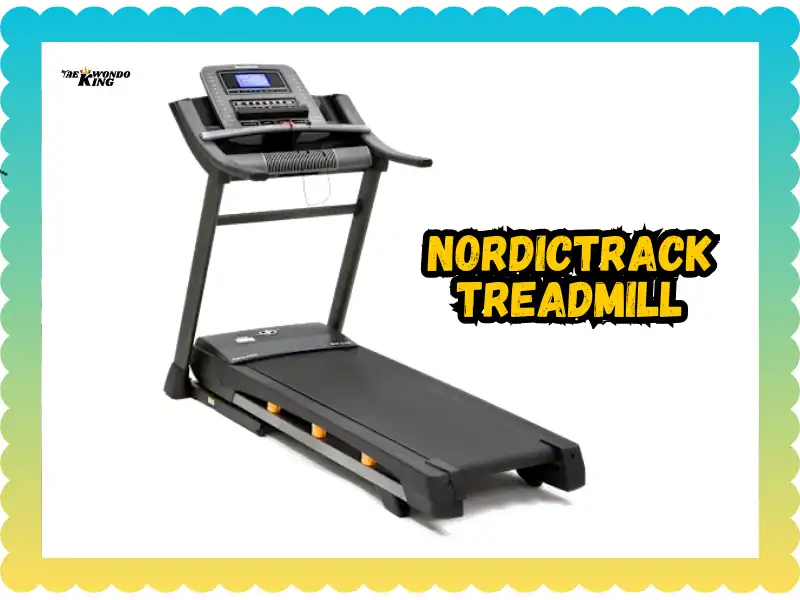
Last Monday morning in Seattle, 6:15 AM, and I’m ready to crush a quick run before work. I step on my NordicTrack, press start, and get… absolute silence. No lights. No beeps. Nothing. My NordicTrack treadmill not working felt like a personal betrayal especially since it worked perfectly fine the night before. If you’re staring at a dead screen right now, feeling that same mix of confusion and frustration, I’ve been exactly where you are.

The Morning My NordicTrack Just… Stopped
It was Monday. Too early. Seattle was noisy outside my window.
I hit “Start.” Nothing happened.
Slight panic set in. Then slight anger. My coffee didn’t help.
Why does this always happen on busy days? When you actually need the thing to work?
I stood there for a full minute. Just staring. Pressing buttons. Getting angrier at an inanimate object.
Why Your NordicTrack Treadmill Might Not Be Working
Before we panic and call a repair guy, let’s talk simple stuff first.
Most times, your NordicTrack isn’t actually broken. It’s just… upset. Or something got unplugged. Or a breaker flipped.
I learned this the hard way after three separate “my treadmill died” moments.
Let’s look at the usual suspects.
Power, Cords, and That Hidden Safety Key
Start here. Seriously.
- Check the power switch – Mine is on the front near the floor. Some models hide it in the back or bottom.
- Plug directly into the wall – Skip the cheap extension cord. Treadmills pull a lot of power.
- Make sure the magnetic safety key is in place – That little red clip? It matters. A lot.
- Look for loose plugs or burnt smells – Sniff around the cord area. Burnt plastic smell? Stop right there.
My first “dead treadmill” moment was just a loose safety key. Felt dumb. But also relieved.
Tripped Circuit Breaker or Surge Issues
Treadmills pull heavy load. Like, a lot.
Your home breaker can flip during storms or power spikes. Even heavy use can trip it.
Here’s what I did:
- Walked to my breaker box
- Found the tripped switch (it was halfway between on and off)
- Flipped it fully off, then back on
- Went back and hit the reset switch on my treadmill
Boom. It worked.
If your lights flickered recently or you had a storm, check this first.
Console Frozen or “Dead Screen” Problem
This one drove me crazy for an hour.
Screen lit up but wouldn’t respond. Buttons did nothing. Just frozen.
- Hold the reset combo – This varies by model. Mine was holding Stop + Speed Down for 10 seconds.
- Unplug for 60 seconds – Yes, the classic “turn it off and on again” trick. It works.
- Outdated firmware – Some iFit consoles glitch when updates fail halfway through.
After unplugging mine for a full minute, it rebooted fine. Screen came back to life.
When It Turns On But Still Won’t Run
Okay. Lights are on. Screen works. You press start and… the belt just sits there.
Breathe. This is fixable too.
Belt Won’t Move (But Console Works)
This is frustrating but common.
Your belt might be too tight. Or too loose. Or just needs some love.
- Check alignment – Is the belt centered? Or drifting to one side?
- Add lubrication – Dry belts resist movement. Use silicone spray made for treadmills.
- Listen carefully – Squeaks? Grinding? Burning smell?
I once spent 20 minutes troubleshooting before realizing my belt was bone dry. A little lube fixed everything.
Motor Problems You Can Actually Spot
Motors fail. It happens.
But you can usually tell before it fully dies.
- Loud buzzing or whining noise – Not the normal hum. Something angry-sounding.
- Sudden burning smell – Stop immediately. Don’t keep trying.
- Worn brushes or overheating board – These are inside, but you’ll smell them when they go bad.
If it smells like toasted plasticstop. We don’t want treadmill BBQ in your living room.
I ignored a weird smell once. Mistake. Had to replace the motor control board. Expensive lesson.
iFit Issues When Software Is the Villain
Software can be so annoying.
Your treadmill might be fine. But iFit decides to ruin your day anyway.
iFit Won’t Load / Stuck on Update
Mine got stuck on an update screen once. For two hours.
Here’s what finally worked:
- Restart your Wi-Fi router – Unplug it for 30 seconds. Plug back in.
- Reconnect the treadmill to your network – Go into settings and rejoin Wi-Fi.
- Skip the update if you can – Some models let you postpone. Try that.
- Log out and log back in – Sometimes your account just needs a refresh.
If none of that works, try running it without iFit for now. Manual mode still functions.
Offline Mode Tricks
Sometimes running without iFit just works better.
Manual mode is your friend when tech ruins your mood.
- Press “Quick Start” or “Manual” on your console
- Skip the login screen
- Run like it’s 2005
No streaming classes. No metrics tracking. But also? No glitches. No loading screens.
I use offline mode now when I just want to walk without drama.
Simple Fixes You Can Safely Try First
Before you call anyone, try these.
They’re easy. Safe. And they solve most problems.
- Unplug everything. Wait 60 to 90 seconds. Plug back in.
- Reseat the safety key. Take it off. Put it back on firmly.
- Clean dust around vents. Not deep inside. Just the outside areas.
- Check belt tension and lube if dry. Lift the belt edge. Should have slight give.
- Tighten loose screws. Especially around handrails. Things vibrate loose over time.
These are tiny actions. Real tools. Nothing risky.
I keep a small toolkit near my treadmill now. Takes five minutes to check everything.
What NOT To Mess With (For Safety)
DIY has limits. I learned this the expensive way.
Some things you should just leave alone.
Don’t Open the Motor Compartment
Seriously. Don’t.
- Risk of electric shock – Even unplugged, capacitors hold charge.
- You can void your warranty – Most brands will refuse service if you’ve been inside.
- Electronics are sensitive – One wrong touch can fry a circuit board.
I almost opened mine once. My tech friend stopped me. Thank goodness.
Don’t Bypass Safety Sensors
Those sensors are there so you don’t face-plant onto moving belts.
Seems obvious. But I’ve seen people try to “fix” sensor problems by taping them down or disconnecting them.
Bad idea. Really bad.
Safety features exist for a reason. Don’t mess with them.
When To Call NordicTrack Support or a Technician
It’s okay to ask for help. Really.
Some problems need a pro.
- Still dead after all basic checks – You’ve tried everything. Nothing works.
- Burning smell, smoke, or actual sparks – Stop using it immediately.
- Error codes you can’t clear – Console keeps showing E1, E2, or other codes.
- Belt keeps slipping even after adjusting – Could be a motor issue.
- Under warranty? – Definitely call. Don’t pay out of pocket if it’s covered.
Keep your receipts. Take photos of error screens. Note weird sounds.
Saying “it makes a sound like a buzzing mosquito inside the motor” helps techs way more than “it sounds broken.”
I called support once. They walked me through checks over the phone. Turned out I needed a new motor controller. They sent it free under warranty.
Final Thoughts Don’t Panic, Don’t Force It
Most NordicTrack “not working” issues are simple fixes.
Power problems. Loose connections. Software glitches. Dry belts.
Stay calm. Don’t over-tighten things. Don’t pry open compartments you shouldn’t touch.
And honestly? Sometimes walking away helps.
I once spent an hour troubleshooting. Got frustrated. Made lunch. Came back later and tried one more time.
It worked. No idea why. Maybe it just needed a break too.
Final Recommendation
Here’s what I’d tell my past self when my NordicTrack treadmill stopped working:
Start with the boring stuff. Check power. Check the safety key. Reset the breaker.
If the screen’s frozen, unplug for a full minute. Worked for me three separate times.
If the belt won’t move, check if it’s dry. Add lube. Listen for weird sounds.
Don’t open the motor area. Don’t bypass sensors. Also, Don’t force anything that feels stuck.
And if you smell burning? Stop. Just stop. Call support or a tech.
My NordicTrack works great now. I check it weekly. Quick cleaning. Belt lube every few months. Tighten screws when they rattle.
Takes maybe 10 minutes total per month. Prevents way bigger headaches.
Your treadmill probably isn’t dead. It probably just needs a reset or a simple fix.
Try the steps above. Stay patient. And if nothing works, that’s what warranties and repair techs are for.
You’ll be running again soon. I promise.
FAQs
A NordicTrack treadmill not working often means no power. Check the outlet, power cord, breaker, and safety key before deeper checks.
If it lights up but won’t run, the safety key may be loose. A bad motor controller or speed sensor can also block movement.
Sudden stops often point to belt drag or motor overload. Poor lubrication or worn belts can trigger auto shut-off.
Yes, a loose belt can slip and stop motion. Proper belt tension helps the motor run smoothly and safely.
Noise without movement often means a slipping belt. Worn rollers or motor parts can also cause this issue.
Yes, a blown fuse can cut motor power. Replacing it with the correct fuse may restore normal use.
Try a reset if errors show. If the NordicTrack treadmill still isn’t working, service may be needed for motor or board faults.

Founder, Owner, and CEO of TaekwondoKing.
He is one of the top 100 martial artists in the World and among the top 20 referees in Bangladesh.
Ehatasamul Alom is an esteemed Kukkiwon Certified Taekwondo 3rd Dan Black Belt with over 15 years of experience in this dynamic martial art. Born in Rajshahi, Bangladesh, Ehatasamul’s journey with Taekwondo began at the tender age of seven. His passion led him to compete at national and international levels, where he has bagged numerous awards and honors. He is also a member of the Taekwondo National Referee Panel.
With a Bachelor’s degree in Sports Science from the prestigious Rajshahi University, Ehatasamul has a deep understanding of the technical and scientific aspects of martial arts and some other martial arts.
In 2022, Ehatasamul created the “TaekwondoKing.com” to share his knowledge, Free Resources, Values, and Real experiences. His articles focus on Taekwondo training techniques, competition strategies, Sport Products Reviews, and the art’s rich history and philosophy. He also writes about the importance of mental fortitude and discipline, key aspects of his teaching philosophy. He has already launched many sports, Taekwondo, and health-related Free online tools. His goal is to inspire both beginners and seasoned practitioners worldwide through insightful and engaging content.
If you need any help, contact Ehatasamul Alom at any time.